3/30/15

Create fake Facebook Post, Message and Twitter Tweets for fun


Facebook and Twitter are the right places to make anything reach a lot of people. We come across many fake funny conversations that are being posted on Facebook and Twitter. They may be between politician and a common man or between a cricketer and a selection committee member. Have you ever felt excited and thought of creating one?
Create fake Facebook Post
If you are looking for the right source to create fake Facebook Status and Tweets, then this article would be a great help for you. I will take you through few online sources, which helps you create such fake Facebook Status and Tweets easily.

Create Fake Facebook Post and Tweets

Creating such funny fake Facebook Status and Tweets is easy. There may be many sources and tools, but I would take you through free and best sources and here are they.
The Wall Machine – Create fake Facebook status
The Wall Machine is really a fun tool for creating fake Facebook status posts for free. Initially, you need to login, using your Facebook account and the fun begins soon thereafter.
You can upload the picture of the person and start typing the status. It allows you to add the people, who you want to ‘Like’ the post and edit the time of post. It provides options to add comments along with profile pictures to the post created – and this is really exciting. They generate examples for everything you want to add and you need to edit them. You can add friendship update, relationship update, events and more.
Fake Facbook Wall Post
After you are done with adding the status and comments, you can save it as an image. While saving, it asks you to enter the title and tags to make it available for everyone as fun Facebook images. You can save it as Public or Private. Once you click on the Save button, you can share it to your Facebook or to any social networking website.
Status Clone – Create fake Facebook message without login

Status Clone allows you to create fake Facebook Status using the Classic and the Timeline format. It does not require any login. So, people who do not use Facebook or do not wish to login using Facebook, can make use of Status Clone to create fake Facebook Post.
Status Clone-fake facebook status
In this case, you need to enter the name, status text, upload the image, people whom you want to Like the created post and comments. While you are adding these things, you can see the preview of your fake post being shown beside. Once done, click on “Create Image and Save”. You can share the created fake post anywhere you want.

Simitator – Create funny Facebook chat

Simitator helps you to create not only fake Facebook Status, but also fake Facebook chat. You can create a fake Facebook chat which looks like you had a chat with say a cricketer or a film star or any other celebrity. Creating fake Facebook chat is the most exciting thing being done using Simitator. You can preview the chat you are creating and download the image once done.
Fake Facebook Chat

Lemme tweet that for you- Create fake tweets

Lemmetweetthatforyou allows you to create fake Tweets for fun. Just visit the website and enter the username of the person you want to create the Tweet for. It automatically updates the profile picture by searching in Twitter. Then, type the tweet you want. You can even edit the number of Retweets and Favorites.
Create Fake Tweet
It also allows you to edit the time and date of the Tweet created. Once done, save it as an image, by just taking the screenshot or share it to your Twitter account.

3/23/15

Twitter Client ‘Corebird’ 1.0 Released [PPA for Ubuntu 15.04]

Open-source GTK3 twitter client ‘Corebird’ 1.0 was released recently with lots of improvements. users of Ubuntu 15.04 can now install it from PPA.
Corebird is a native GTK+ Twitter client for Linux which has a modern and responsive design that looks kinda similar to the official Twitter app for Mac.
It’s one of the few remaining Twitter apps still in active development for Linux. With the advantage of the latest GTK+3 features, the application makes use of the new Header Bars. With the gstreamer and gstreamer plugins, corebird allows to view any videos, animated GIFs (added in 1.0 release).
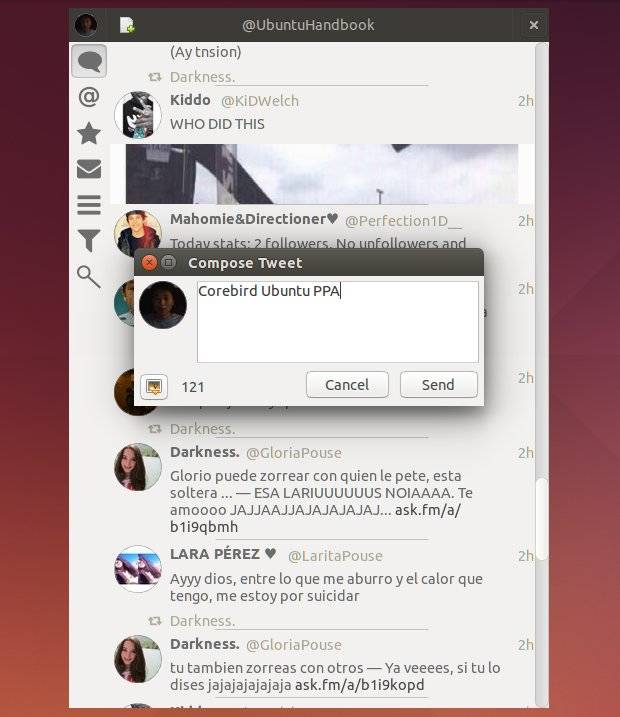
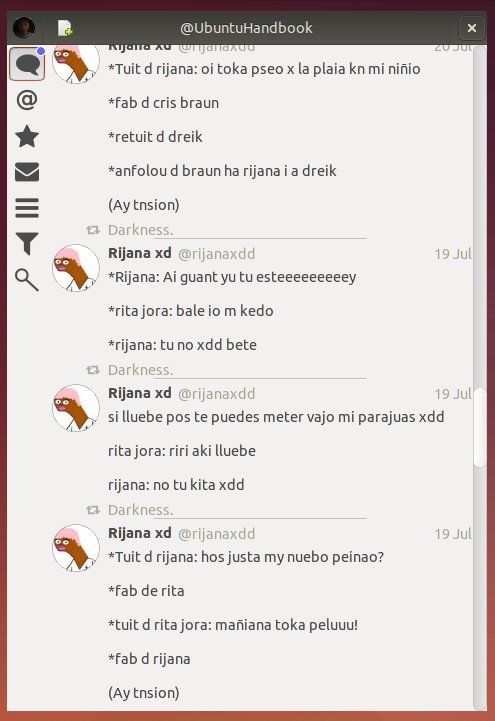
corebird-ubuntuCorebird Twitter Client in Ubuntu
corebird twitter client in Ubuntu 14.04Corebird Twitter Client in Ubuntu 14.04
Changes in Corebird 1.0:
  • All dialogs now use client-side decorations if the environment dictates it, otherwise they fall back to server-side decorations (compose dialog is excluded).
  • Many layout updates
  • The compose window now allows for up to 4 pictures to be uploaded.
  • now save additional information about the account which makes it possible for blocked users to be actually blocked, i.e. streamed tweets won’t appear in your timeline anymore.
  • When (un)following someone, now also correctly show/hide their retweets in the stream.
  • The DM page now sorts threads with unread messages first.
  • The @handle completion known from the compose window is now also available when composing Direct Messages, as well as in the account settings for the description.
  • Everything app-specific should now be hidpi ready, the only thing missing are assets loaded from Twitter directly, i.e. avatars and media.
  • Notifications should now get withdrawn whenever it makes sense, i.e. if you read a Direct Message before dismissing the notification, it should get withdrawn automatically.
  • The hover buttons moved to a right-click menu on every tweet.
  • Plurals are properly localized.
  • We now also respect muted users (even though there’s no UI to mute someone)
  • A user’s verification status is now also shown in the tweet info page.
  • Everything should now work when the user’s @handle (aka screen_name) changes.
  • Switching to the same page (i.e. going to a profile from the profile page) now works much better, including the swipe transition as well as proper equality checking.
  • Invalid inline media (file size too big, 404, …) should now be properly detected and reacted upon (i.e. remove the widget in the stream, add the link back).
  • Underlines in @handles are now properly displayed in the app menu (i.e. the “open account” submenu)
  • Animated gifs from Twitter are now also handled (just like other videos).
  • Tweets in timelines are now single-click activated. This unifies the behavior with all other lists in the application. Since this interferes with certain user behaviors, there’s a setting to switch back to double-click activation.
  • Based on a user’s protection status, we now disable (or hide) retweet buttons of tweets.
Install Corebird 1.0 in Ubuntu:
Due to the updated dependencies (GTK >= 3.14), Corebird 1.0 only available in PPA for Ubuntu 15.04 Vivid.
Open terminal (Ctrl+Alt+T) and run below commands one by one to add PPA and install Corebird:
sudo add-apt-repository ppa:ubuntuhandbook1/corebird

sudo apt-get update

sudo apt-get install corebird
Above commands will also install an old version (Corebird 0.9) for Ubuntu 14.10 Utopic.

FIND US ON FACEBOOK

FIND US ON Twitter