3/27/15

How to Install MongoDB 3.0 on Ubuntu 14.10, 14.04, 12.04 and Debian


MongoDB (named from “huMONGOus“) is a full flexible index support and rich queries database. Its is a NoSQL database. MongoDB provides large media storage with GridFS. Click here for more details about this version of MongoDB.
This tutorial will help you to install MongoDB 3.0 Production Release on Ubuntu and Debian systems.
Adding Apt Repository
First import public key of 10gen repository in our system using following command.
$ sudo apt-key adv --keyserver hkp://keyserver.ubuntu.com:80 --recv 7F0CEB10
Lets add MongoDB APT repository url in /etc/apt/sources.list.d/mongodb.list.
For Ubuntu:
$ echo "deb http://repo.mongodb.org/apt/ubuntu "$(lsb_release -sc)"/mongodb-org/3.0 multiverse" | sudo tee /etc/apt/sources.list.d/mongodb.list
For Debian:
$ echo "deb http://repo.mongodb.org/apt/debian "$(lsb_release -sc)"/mongodb-org/3.0 main" | sudo tee /etc/apt/sources.list.d/mongodb.list

Install MongoDB

After adding required APT repositories, use following commands to install MongoDB in your systems. It will also install all dependent packages required for mongodb.
$ sudo apt-get update
$ sudo apt-get install mongodb-org
If you want to install any specific version of MontoDB, define the version number like below
$ apt-get install mongodb-org=3.0.0 mongodb-org-server=3.0.0 mongodb-org-shell=3.0.0 mongodb-org-mongos=3.0.0 mongodb-org-tools=3.0.0

Start MongoDB Service

Start/Stop MongoDB using init script. Below are the example commands to do it.
$ sudo service mongod start
$ sudo service mongod stop

Verify MongoDB Installation

Use following command to check installed mongodb version
ubuntu@truetech4:~$ mongo --version

MongoDB shell version: 3.0.0
Connect MongoDB using command line and execute some test commands for checking proper working.
ubuntu@truetech4:~$ mongo

> use mydb;
> db.test.save( { truetech4: 100 } )
> db.test.find()

  { "_id" : ObjectId("52b0dc8285f8a8071cbb5daf"), "truetech4" : 100 }

How to Install JAVA 8 (JDK 8u40) on CentOS/RHEL 7/6/5 and Fedora

After a long wait, finally Java SE Development Kit 8 is available to download. JDK 8 has been released on Mar,18 2014 for general availability with the many featured enhancements. You can find all the enhancements in JDK 8 here.
This article will help you to Install JAVA 8 (JDK 8u40) or update on your system. Read instruction carefully for downloading java from Linux command line. To Install Java 8 in Ubuntu and LinuxMint read This Article.

Downloading Latest Java Archive

Download latest Java SE Development Kit 8 release from its official download page or use following commands to download from shell.

For 64Bit

# cd /opt/
# wget --no-cookies --no-check-certificate --header "Cookie: gpw_e24=http%3A%2F%2Fwww.oracle.com%2F; oraclelicense=accept-securebackup-cookie" "http://download.oracle.com/otn-pub/java/jdk/8u40-b25/jdk-8u40-linux-x64.tar.gz"

# tar xzf jdk-8u40-linux-x64.tar.gz

For 32Bit

# cd /opt/
# wget --no-cookies --no-check-certificate --header "Cookie: gpw_e24=http%3A%2F%2Fwww.oracle.com%2F; oraclelicense=accept-securebackup-cookie" "http://download.oracle.com/otn-pub/java/jdk/8u40-b25/jdk-8u40-linux-i586.tar.gz"

# tar xzf jdk-8u40-linux-i586.tar.gz
Note: If Above wget command doesn’t not work for you watch this example video  to download java source archive using terminal.

Install Java with Alternatives

After extracting archive file use alternatives command to install it. alternatives command is available in chkconfig package.
# cd /opt/jdk1.8.0_40/
# alternatives --install /usr/bin/java java /opt/jdk1.8.0_40/bin/java 2
# alternatives --config java


There are 3 programs which provide 'java'.

  Selection    Command
-----------------------------------------------
*  1           /opt/jdk1.8.0/bin/java
 + 2           /opt/jdk1.8.0_25/bin/java
   3           /opt/jdk1.8.0_40/bin/java

Enter to keep the current selection[+], or type selection number: 3

At this point JAVA 8 has been successfully installed on your system. We also recommend to setup javac and jar commands path using alternatives
# alternatives --install /usr/bin/jar jar /opt/jdk1.8.0_40/bin/jar 2
# alternatives --install /usr/bin/javac javac /opt/jdk1.8.0_40/bin/javac 2
# alternatives --set jar /opt/jdk1.8.0_40/bin/jar
# alternatives --set javac /opt/jdk1.8.0_40/bin/javac 

Check Installed Java Version

Check the installed version of java using following command.
root@tecadmin ~# java -version

java version "1.8.0_40"
Java(TM) SE Runtime Environment (build 1.8.0_40-b25)
Java HotSpot(TM) 64-Bit Server VM (build 25.40-b25, mixed mode)

Configuring Environment Variables

Most of java based application’s uses environment variables to work. Set the Java environment variables using following commands
  • Setup JAVA_HOME Variable
  • # export JAVA_HOME=/opt/jdk1.8.0_40
    
  • Setup JRE_HOME Variable
  • # export JRE_HOME=/opt/jdk1.8.0_40/jre
    
  • Setup PATH Variable
  • # export PATH=$PATH:/opt/jdk1.8.0_40/bin:/opt/jdk1.8.0_40/jre/bin

3/23/15

Papyrus – Free Note Manager App Focus On Security

Papyrus is a free, open-source, and modern note manager focused on privacy, socials, and better user interface.
Papyrus is developed by Aseman Land, the team behind Cutegram telegram client. It’s a fork of Kaqaz project by sialan labs and works on Linux, Windows, Mac, Android and iOS soon.
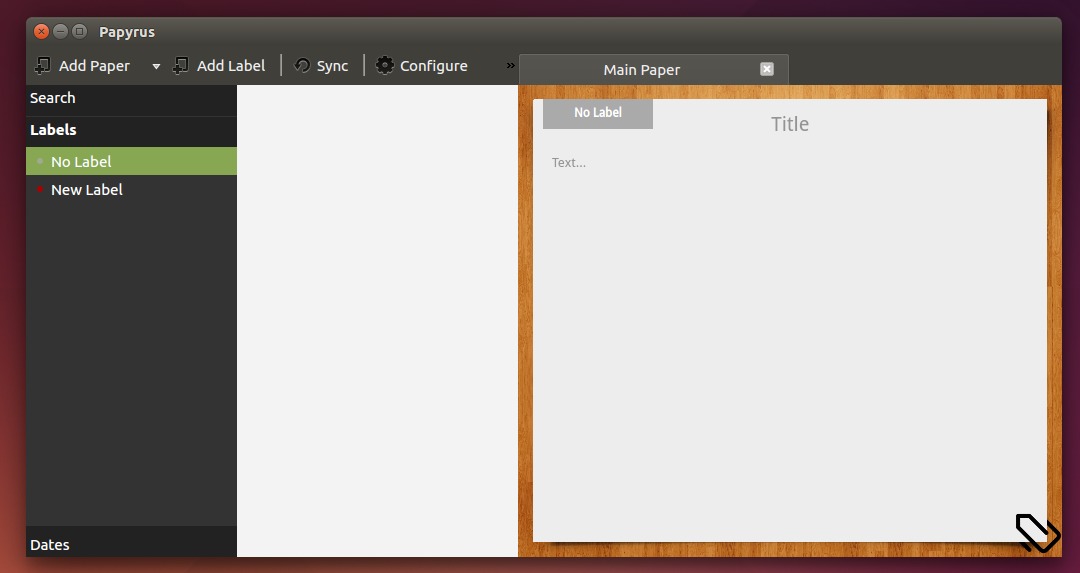
Papyrus Note Manager
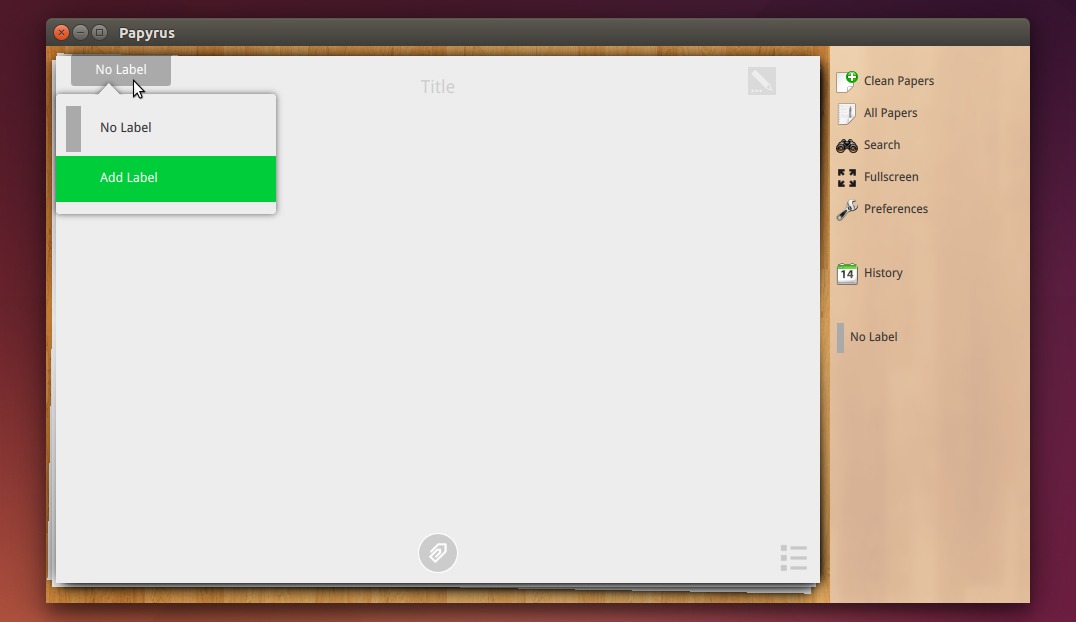
Papyrus Touch Version
The software provides both desktop and touch version and features:
  • Notes management by means of labels and categories
  • Sorting notes by day
  • Advance and Smart searching in notes
  • To-Do papers
  • Backing up notes
  • Encrypted synchronization via Dropbox among all your devices
  • Supporting left-to-right and right-to-left languages
  • Sharing papers with other applications
  • Assigning password for protecting notes
  • Attach map and weather to note informations automatically
  • Attaching photos, audio files and folders to any note
  • Search on papers by location
  • Capability of running and sync data on all operating systems (Android, Windows, Linux, Mac and soon other operating systems)
  • Canvas for painting
  • Search on papers using weather and temperature, your notes wrote.
  • Can move data to sd-card (on old phones)
  • Status and statistics page for notes
  • Synchronizing files
Install Papyrus in Ubuntu/Linux Mint:
The note manager has an official PPA with supports for Ubuntu 14.04, Ubuntu 14.10, Linux Mint 17 so far.
Open terminal (Ctrl+Alt+T) and run below commands one by one to add PPA and install the app:
sudo add-apt-repository ppa:aseman/desktop-apps

sudo apt-get update

sudo apt-get install papyrus
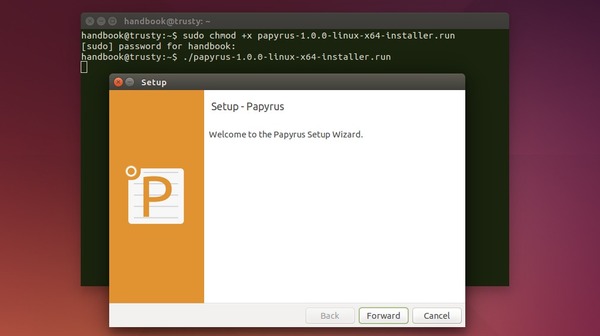
An alternative way is to download Linux Installer from the bottom of its homepage. Give executable permission and run the installer wizard:
  1. Select download the installer that matches your OS type, 32-bit or 64-bit
  2. In terminal navigate to Downloads page by cd ~/Downloads
  3. make the installer executable by command chmod +x FILENAME
  4. Finally start the install via ./FILENAME
Papyrus Linux Installer

Install Latest Tomahawk Social Player in Ubuntu 15.04


Tomahawk team finally made the latest Tomahawk social music player into its official PPA with support for the upcoming Ubuntu 15.04 Vivid.
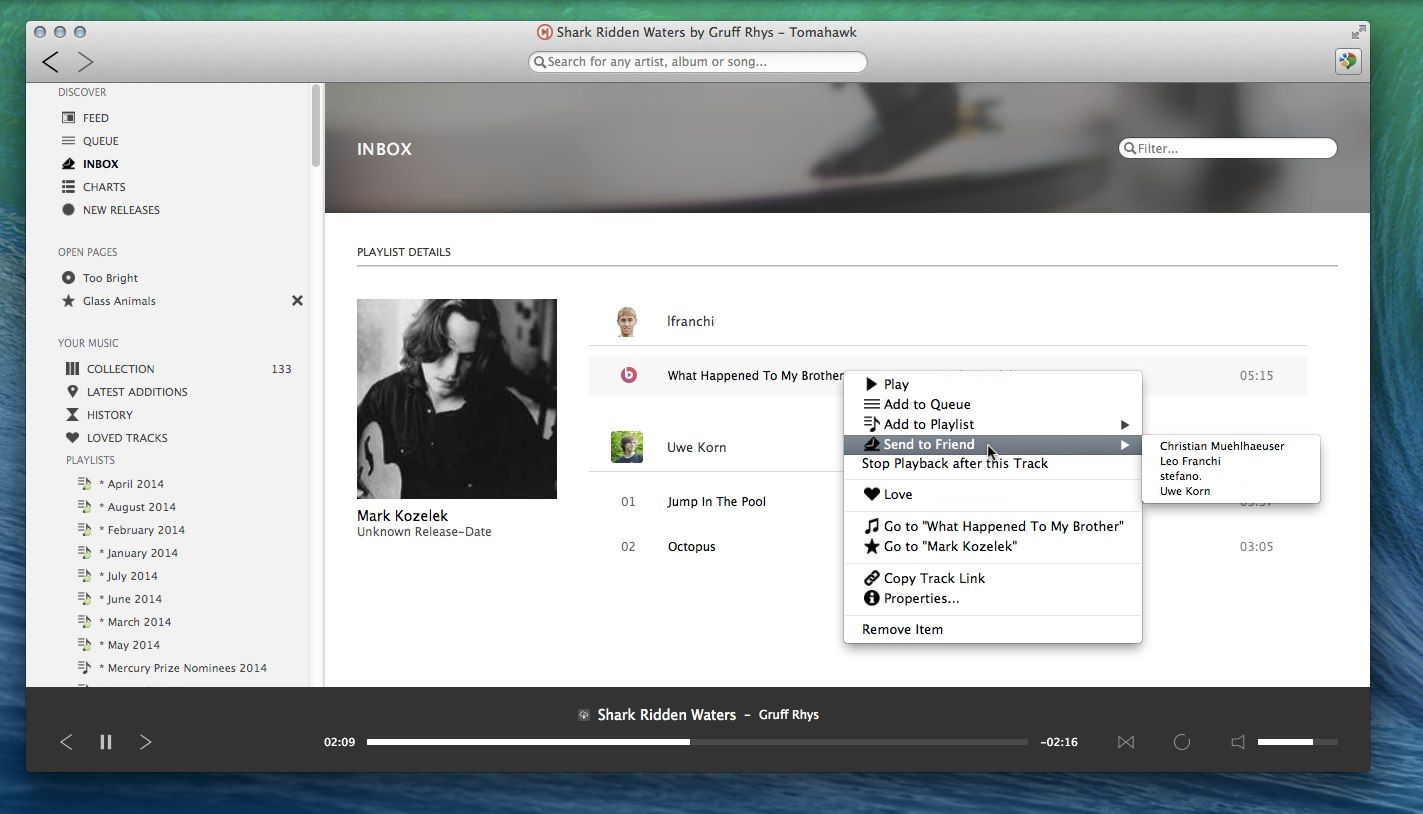
Tomahawk is a free multi-source and cross-platform music player. An application that can play not only your local files, but also stream from services like Spotify, Beats, SoundCloud, Google Music, YouTube and many others. You can even connect with your friends’ Tomahawks, share your musical gems or listen along with them.
tomahawk-plugins
tomahawk-friends-music
tomahawk-received
Now the Ubuntu 15.04 users can install the latest player (Tomahawk 0.8.2 so far) by running below commands one by one in terminal:
sudo add-apt-repository ppa:tomahawk/ppa

sudo apt-get update

sudo apt-get install tomahawk tomahawk-dbg
Above command adds the Tomahawk PPA into your system and you can receive future updates along with System Updates via Software Updater.

Install Audio Tag Editor Kid3 3.2.0 in Ubuntu 14.04/12.04

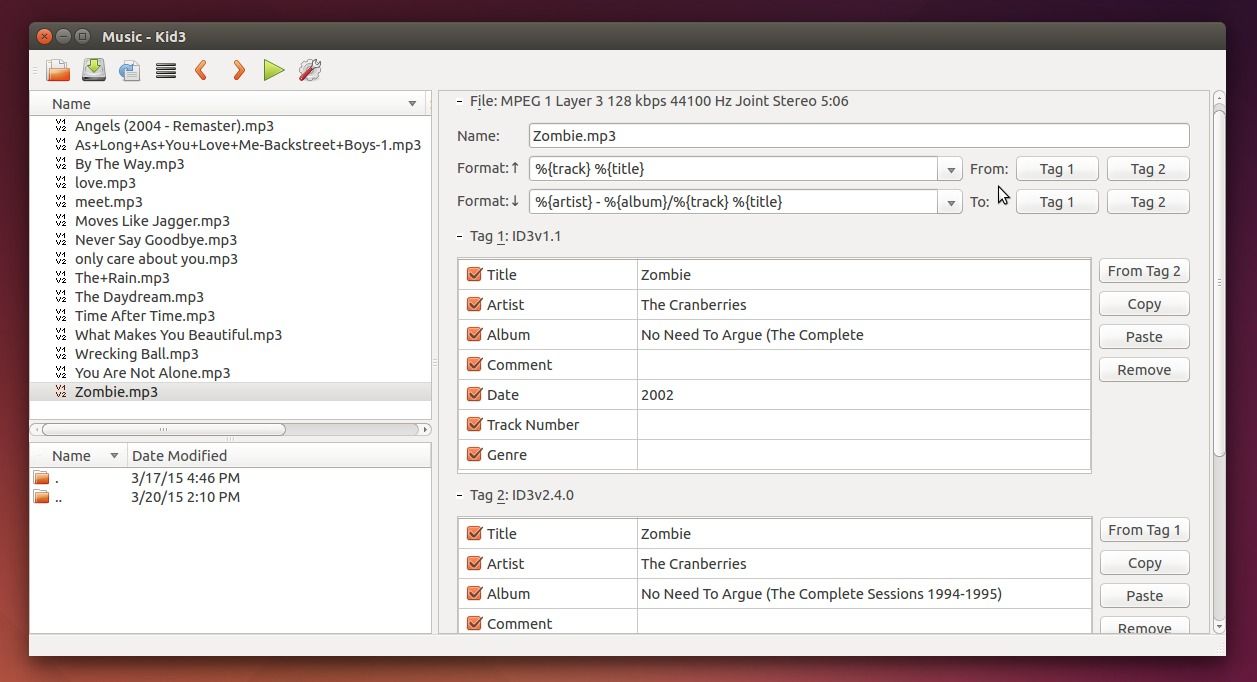
Kid3 audio tag editor has recently reached the 3.2.0 release. Here’s how to install or upgrade it in Ubuntu / Linux Mint.
Kid3 is an open-source audio tag editor for KDE or Qt only. It supports MP3, Ogg/Vorbis, FLAC, MPC, MP4/AAC, MP2, Opus, Speex, TrueAudio, WavPack, WMA, WAV, AIFF, tracker modules.
kid3-audio-tag-editor
Just a few hours ago the developer, ufleisch, announced the 3.2.0 release of Kid3:
Kid3 3.2 introduces a script interface to write extensions and automate tasks using QML/JavaScript. Example scripts are provided to embed, export and resize album art, export tags and fetch lyrics from a web service. Kid3 can now be built with KDE 5 and adds support for DSF and Ogg/FLAC files. New features include more options to number tracks and marking oversized embedded album art. Discogs and Amazon import and all known bugs have been fixed.
Kid3 3.2.0 added or fixed:
  • Support QML/JS scripts for user actions.
  • Batch embed, export, and resize album art.
  • Batch lyrics download.
  • Recursive tag export.
  • Support build with KDE 5.
  • Support DSF files with TagLib 1.9.1.
  • Option to mark pictures larger than a given size.
  • Number tracks can reset track number for each folder.
  • Number tracks can only format numbers or set total.
  • Only expand subtree if shift is pressed with “Expand all”.
  • Support Ogg FLAC files.
  • QML plugin.
  • File suffix for export (e.g. picture) is determined by mime type.
  • Image dimensions are displayed below picture.
  • Crash when TagLib file is saved with changes in tags and file name.
  • Deletion of picture frames from Ogg/Opus files.
  • Setting description of Ogg pictures in frame table.
  • Reactivate support for AAC and MP2 files with TagLib.
  • Mac OS X: Avoid excessive memory consumption.
  • Adapted to Discogs server update.
  • Adapted to Amazon server update.
Install / Upgrade Kid3 in Ubuntu/Linux Mint
For Ubuntu 12.04, Ubuntu 14.04, Ubuntu 14.10, and Linux Mint 13/17, Kid3 3.2.0 is available for install/upgrade in the developer’s PPA.
1. Open terminal and run below command to add the PPA:
sudo add-apt-repository ppa:ufleisch/kid3
2. Refresh system cache:
sudo apt-get update
3. Upgrade Kid3 through Software Updater / Updater Manager. Or select install Kid3 package via below command:
  • For KDE desktop, run:
    sudo apt-get install kid3
  • For Qt version without KDE libraries:
    sudo apt-get install kid3-qt
  • If you want the command line version, run:
    sudo apt-get install kid3-cli

Twitter Client ‘Corebird’ 1.0 Released [PPA for Ubuntu 15.04]

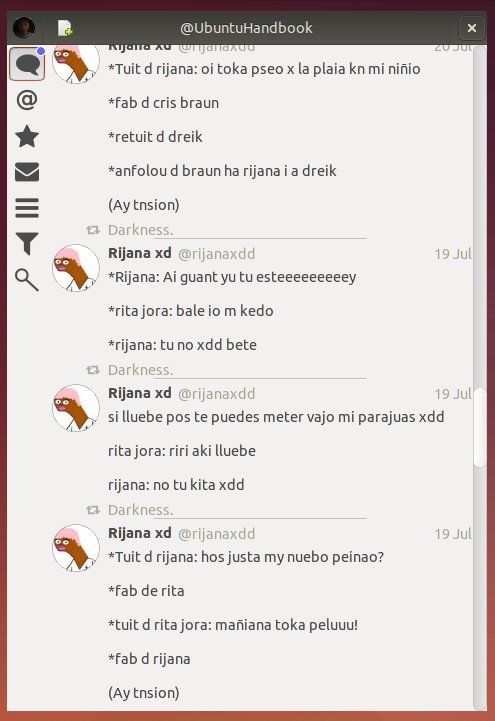
Open-source GTK3 twitter client ‘Corebird’ 1.0 was released recently with lots of improvements. users of Ubuntu 15.04 can now install it from PPA.
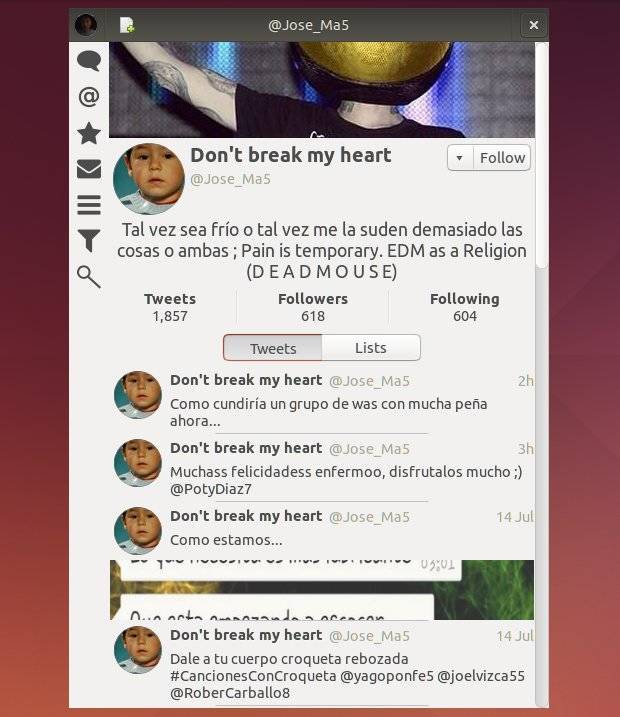
Corebird is a native GTK+ Twitter client for Linux which has a modern and responsive design that looks kinda similar to the official Twitter app for Mac.
It’s one of the few remaining Twitter apps still in active development for Linux. With the advantage of the latest GTK+3 features, the application makes use of the new Header Bars. With the gstreamer and gstreamer plugins, corebird allows to view any videos, animated GIFs (added in 1.0 release).
corebird-ubuntuCorebird Twitter Client in Ubuntu
corebird twitter client in Ubuntu 14.04Corebird Twitter Client in Ubuntu 14.04
Changes in Corebird 1.0:
  • All dialogs now use client-side decorations if the environment dictates it, otherwise they fall back to server-side decorations (compose dialog is excluded).
  • Many layout updates
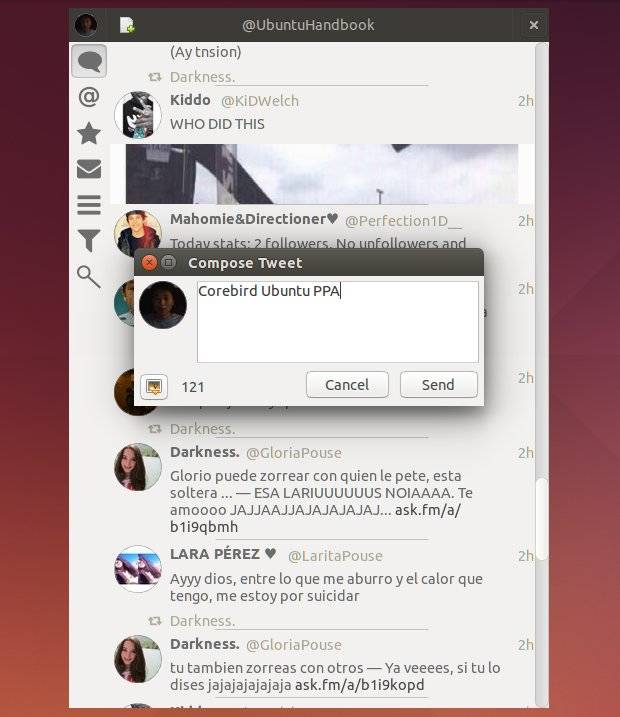
  • The compose window now allows for up to 4 pictures to be uploaded.
  • now save additional information about the account which makes it possible for blocked users to be actually blocked, i.e. streamed tweets won’t appear in your timeline anymore.
  • When (un)following someone, now also correctly show/hide their retweets in the stream.
  • The DM page now sorts threads with unread messages first.
  • The @handle completion known from the compose window is now also available when composing Direct Messages, as well as in the account settings for the description.
  • Everything app-specific should now be hidpi ready, the only thing missing are assets loaded from Twitter directly, i.e. avatars and media.
  • Notifications should now get withdrawn whenever it makes sense, i.e. if you read a Direct Message before dismissing the notification, it should get withdrawn automatically.
  • The hover buttons moved to a right-click menu on every tweet.
  • Plurals are properly localized.
  • We now also respect muted users (even though there’s no UI to mute someone)
  • A user’s verification status is now also shown in the tweet info page.
  • Everything should now work when the user’s @handle (aka screen_name) changes.
  • Switching to the same page (i.e. going to a profile from the profile page) now works much better, including the swipe transition as well as proper equality checking.
  • Invalid inline media (file size too big, 404, …) should now be properly detected and reacted upon (i.e. remove the widget in the stream, add the link back).
  • Underlines in @handles are now properly displayed in the app menu (i.e. the “open account” submenu)
  • Animated gifs from Twitter are now also handled (just like other videos).
  • Tweets in timelines are now single-click activated. This unifies the behavior with all other lists in the application. Since this interferes with certain user behaviors, there’s a setting to switch back to double-click activation.
  • Based on a user’s protection status, we now disable (or hide) retweet buttons of tweets.
Install Corebird 1.0 in Ubuntu:
Due to the updated dependencies (GTK >= 3.14), Corebird 1.0 only available in PPA for Ubuntu 15.04 Vivid.
Open terminal (Ctrl+Alt+T) and run below commands one by one to add PPA and install Corebird:
sudo add-apt-repository ppa:ubuntuhandbook1/corebird

sudo apt-get update

sudo apt-get install corebird
Above commands will also install an old version (Corebird 0.9) for Ubuntu 14.10 Utopic.

Install 3D CAD Model Creator ‘OpenSCAD’ 2015 in Ubuntu 14.04

OpenSCAD is a software for creating solid 3D CAD objects. It focuses on CAD aspects rather than artistic ones.
OpenSCAD is not an interactive modeller. Instead it is something like a 3D-compiler that reads in a script file that describes the object and renders the 3D model from this script. This gives the designer full control over the modelling process and enables him to easily change any step in the modelling process or make designes that are defined by configurable parameters.

While Ubuntu repositories provide a very old version, the most recent OpenSCAD 2015.03 was released with a number of new features, improvements and fixes:
Language Features
  • Added text() module for 2D text
  • Added offset() module for 2D offsets
  • Added list comprehensions and let()
  • Added concat() function
  • Added chr() function
  • surface() can now take PNG images as input
  • min() and max() can now take a vector argument
  • 2D minkowski can now handle polygons with holes
  • Variables can now be assigned in local blocks without using assign()
Program Features
  • Added Toolbar icons
  • New code editor based on QScintilla
  • Added Splash screen
  • Added SVG export
  • Added AMF export
  • Added --viewall and --autocenter cmd-line parameters
  • GUI is now translated into German, Czech, Spanish, French and Russian
  • MDI (Multiple Document Interface) is now available on all platforms
  • Color schemes for viewer and editor can be user-edited using JSON files
  • GUI components are now dockable
  • Added Tickmarks on axes
Bugfixes/improvements
  • Performance improvement: 2D (clipper), preview, hull, minkowski, surface
  • Performance improvement: Reduce duplicate evaluation of identical expressions
  • Better recursion behavior
  • STL export and import is now more robust
  • Internal cavities are better supported
  • New examples
  • Windows cmd-line behaves better
  • Better mirror() and scale() behavior when using negative factors
Deprecations
  • polyhedron() now takes a faces= argument rather than triangles=
  • assign() is no longer needed. Local variables can be created in any scope
Install / Upgrade to OpenSCAD 2015 in Ubuntu:
OpenSCAD Team provides pre-compiled binaries for Ubuntu users through a PPA repository, so far Ubuntu 14.04 LTS, Ubuntu 14.10, Linux Mint 17 are supported.
Open terminal from the Dash/Menu or by pressing Ctrl+Alt+T on keyboard. When it opens, run command to add OpenSCAD PPA:
sudo add-apt-repository -y ppa:openscad/releases
Then refresh system package cache via:
sudo apt-get update
Finally install the software packages:
sudo apt-get install openscad openscad-dbg
You may skip the second and third commands, instead running Software Updater (orUpdate Manager) and upgrading OpenSCAD package after checking for updates.

3/22/15

Prips – Print IP address on a given range


prips is a tool that can be used to print all of the IP address on a given range. It can enhance the usability of tools that are made to work on only one host at a time.

Install Prips on ubuntu
Open the terminal and run the following command
sudo apt-get install prips
Using prips
prips syntax
prips [-c] [-d delim] [-e exclude] [-f format] [-i incr] start end
prips [-c] [-d delim] [-e exclude] [-f format] [-i incr] CIDR-block
Available Options
The prips tool accepts the following command-line options:
-c -- Print the range in CIDR notation.
-d delim -- Set the delimiter to the character with ASCII code delim where 0 <= delim <= 255.
-e -- Exclude ranges from the output.
-f format -- Set the format of addresses (hex, dec, or dot).
-i incr -- Set the increment to ‘x'.
Prips Examples
Display all the addresses in a reserved subnet:
prips 192.168.32.0 192.168.32.255
The same, using CIDR notation:
prips 192.168.32/24
Display only the usable addresses in a class A reserved subnet using a space instead of a newline for a delimiter:
prips -d 32 10.0.0.1 10.255.255.255
Display every fourth address in a weird block:
prips -i 4 192.168.32.7 192.168.33.5
Determine the smallest CIDR block containing two addresses:
prips -c 192.168.32.5 192.168.32.11

3/20/15

Top 10 Linux Distributions

List Of Top Linux Distributions In My Point Of View

Nowadays, there are a huge number of distributions, versions of the operating system within Linux which is not clear for newcomer so they don’t know which one fits their need. The most popular known distribution is Ubuntu, but there are many others, each one of them offers some variant on the basic Linux theme.
Choosing the right distribution known also as “distro” for your business isn’t enough clear. This choice depends particularly on several key factors (skills, software, hardware, support…). It is also good to know how to make difference between the current distros.
The top 10 Linux distributions will be described in this article.

1. Ubuntu

Let’s start by the famous one, Ubuntu. It is is an open source operating system (not to be confused with the term “free software”) sponsored by Canonical company and a trademark registered by the same company. Based on the Debian Linux distribution, this operating system is composed of several open source softwares, and is available for free, even for businesses. Moreover, it is the most popular distro, garnering by more than 2000 hits per day on the Distrowatch site compared with 1500 for Fedora.
ubuntu
Ubuntu is also notable for its ease of use and its inclusion of a migration assistant for Windows users and support for the latest technologies. It’s also worth understanding that Ubuntu is available in various remixes and spin-off sub-distros targeted at specific niches, such as Kubuntu, Xubuntu and Lubuntu. Most of these differ primarily by offering a desktop environment other than Ubuntu’s standard GNOME.

2. Fedora

Fedora, formerly Fedora Core is a GNU / Linux distribution built upon the RPM system, developed by the Fedora Project and supported by Red Hat. This distribution is intended to be a complete and general operating system composed entirely by free software. Indeed, Fedora derives from the Red Hat Linux distribution, and it is intended to replace it (especially for noncommercial use). It uses the GNOME desktop environment by default, but users can easily switch to KDE, Xfce, LXDE, MATE and Cinnamon, among others. Custom variations of Fedora, known as Fedora spins, are available for users with particular needs
ferdoreThe Fedora Project began at the end of 2003, when Red Hat Linux has neglected to sale its products to the public. Red Hat has led users wlinithin professional use of Red Hat Linux to Red Hat Enterprise Linux (RHEL), while users into domestic use were redirected to Fedora. Since RHEL is the only Linux distribution for which Red Hat provides official assistance.
With the first release of Fedora, Red Hat has launched a trend that was then followed by many Linux distribution vendors: those to create a community distribution whose commercial distribution could be based on.
Fedora also offers a six-month release schedule, and its security features are excellent. While some have viewed it as a cutting-edge distro for the Linux “hobbyist,” I think improvements over the years and widespread popularity have combined to make it a good choice for newer Linux users as well.

3. Linux Mint

Linux Mint is a 32- and 64-bit Linux distribution for desktop computers, based on either Ubuntu or Debian. Its stated aim is to be a modern, elegant and comfortable operating system which is both powerful and easy to use. It provides full out-of-the-box multimedia support by including some proprietary software such as Adobe Flash. Mint’s motto is from freedom came elegance. New versions of the Ubuntu-based Linux Mint have been released approximately every six months. The first release, named “Ada”, was released in 2006. The 17th release, “Qiana”, was released on May 31, 2014. Support for older releases usually ends shortly after the next version is released, but there have been released with long-term support, including the current release, v17.x, which will be supported for five years, until April 2019.
linuxminit
Mint enjoys a well-deserved reputation for ease of use, so it’s another good one for beginners. It also includes some proprietary multimedia codecs that are often absent from larger distributions, thereby enhancing its hardware compatibility. Mint doesn’t have a fixed release schedule, but typically a new version comes out shortly after each stable Ubuntu release.

4. OpenSUSE

OpenSUSE is an important Linux distribution and its origin is German. It is a community supported by SUSE distribution and other sponsors. It is the successor to the historic “SUSE Linux Professional” and today serves as the basis for SUSE Linux Enterprise products.
oensuse
It was aiming to be a great beginner distro and something that appeals to experienced Linux users. It comes with YAST, an administration program that controls installations, package management and more. New versions of openSUSE are released every 8 months, supporting many languages – each release is provided with security updates for a period of 18 months.
OpenSUSE is a completely open source system. It contains therefore not proprietary drivers or codecs to support most closed multimedia formats. However, it is possible to simply install the packages to take advantage of these materials, as well as drivers for ATI or nVidia.

5. PCLinuxOS

PCLinuxOS is a user-friendly Linux distribution with out-of-the-box support for many popular graphics and sound cards, as well as other peripheral devices. This distribution makes it easy to install drivers, get Office software, edit photos, get online and start using multimedia. It also makes it easy to do snapshot backups. The intuitive system configuration tools include Synaptic for package management, Addlocale to add support with several languages, Getopenoffice to install the latest OpenOffice.org, and Mylivecd to create a customized live CD.
pc
Rather than GNOME, PCLinuxOS uses the KDE desktop environment and is essentially a lighter-weight version of Mandriva. This distribution has a good support for graphics drivers, browser plugins and media codecs. Indeed, it could be a good choice for beginners. But you need to know that currently there is no 64-bit version of this software.

6. Debian

Debian is a free operating system for your computer. It is currently known as one from the most important available distros. It serves as the foundation for Ubunto, many users consider it as the best one suited for those experienced with Linux. With Debian, you have the possibility to use all open-source components which is a very good thing. To know also that Debian has a slow release cycle, with a period of 1 to 3 years.
debain
Debian is an older Linux distribution (released in 1993) which comes with the GNOME desktop environment by default.. However, it’s also available for FreeBSD and several effort has been made to make it available also to support other kernels, such as the Hurd. With over than preloaded 37 500 packages, Debian prides itself.

7. Sabayon/Gentoo

Sabayon Linux is a GNU / Linux distribution based on Gentoo. Unlike Gentoo which installs all or part of the systems from the source code. Sabayon installs the base system from precompiled packages.
ganeto
Sabayon Linux is a ready distribution for use, it means that it includes the basic proprietary drivers of different graphic and wireless cards, audio codecs – video, flash, java, etc. in order that the system can work without having to install them after the installation. It is thus not completely a free tool.

8. Arch Linux

Arch Linux is another Linux distribution which is created by Judd Vinet that emphasizes simplicity (according to the KISS principle). Judd has been inspired by another Linux down known as Crux Linux. Arch Linux was designed to be the perfect operating system for advanced users. His philosophy without artifice or configuration tools is very similar to Slackware in the sense that it requires a certain level of knowledge to be installed, but it is nevertheless easy to maintain.
archlinux
The installation packages goes through ABS: Arch Linux Build System, a system looking like the ports BSD. ABS allows you to install precompiled binary packages or build a package from its source.

9. Puppy Linux

Puppy Linux is a Linux distribution available in Live CD created by Barry Kauler. With very small size (about 100 MB, 170 MB for the latest version), this distribution is designed to be lightweight, reliable and easy to use while retaining maximum functionality.
putptThe entirety of operating system and all programs can be loaded into RAM, which allows you to remove the boot media after initialization. Puppy Linux provides a package manager (Puppy package manager) that facilitates the installation of new software. Like big Linux distributions, this interface has installed and installable packages and automates installation / uninstallation, avoiding the often confusing process of manual installation (configure, make, make install …). A list of official packages that were created and tested for Puppy Linux, from source or Slackware packages.

10. CentOS

CentOS (abbreviated from Community Enterprise Operating System) is a Linux distribution that attempts to provide a free, enterprise-class, community-supported computing platform which aims to be functionally compatible with its upstream source, Red Hat Enterprise Linux (RHEL).
ceentos
The CentOS Project announced the immediate availability of CentOS 7 for x86_64, including images for docker, and various cloud providers. There are many fundamental changes in this release, compared to previous releases of CentOS.

Conclusion

Different Linux distributions were outlined above. Personally, I am interested in OpenSUSE, Ubuntu and CentOS distributions, the others are optional for me. And you what is your choice?

FIND US ON FACEBOOK

FIND US ON Twitter